This? No, two back.
Pick a job to try this on: the Job Picker ranks your repeated jobs.
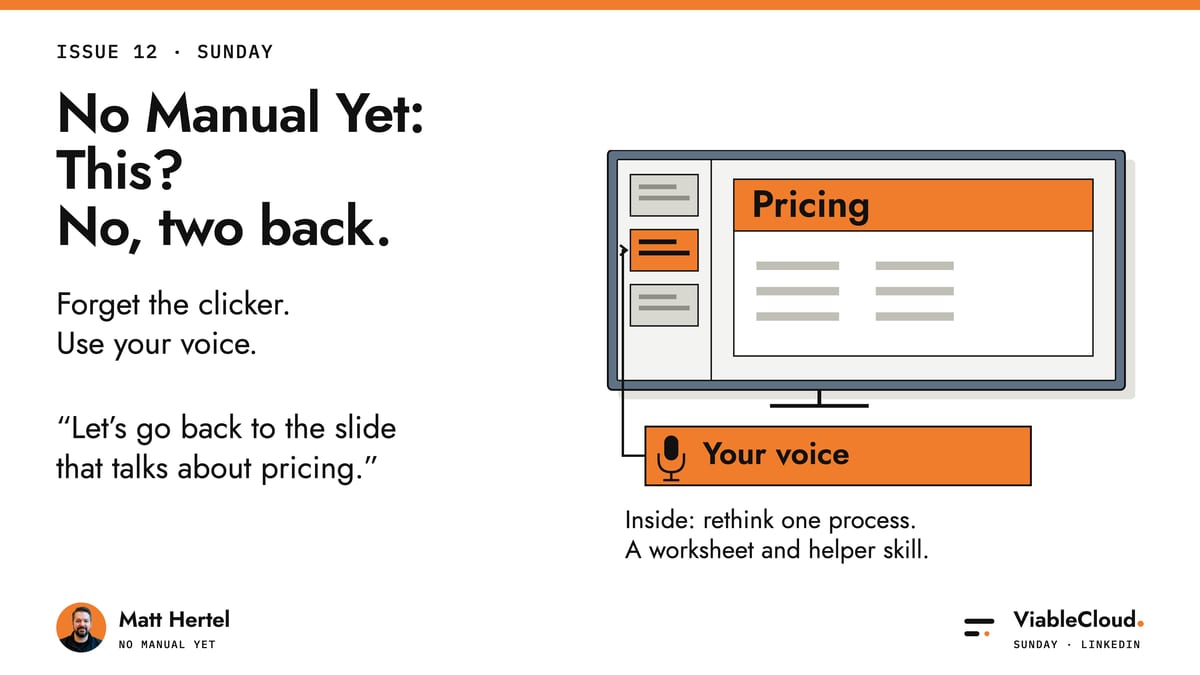
Have you ever been presenting to a potential customer when they say, "You remember 25 minutes ago, when you talked about pricing?" You do remember. You've just got no idea which slide it was.
So you start mashing the back button, 25 minutes of slides flash past everyone in reverse, you never quite get it right, and in the end you have to ask.
"This?"
"No, two back."
Yes, no, yes, yes, no, yes. And then you finally get it.
Very slick.
AI can make the slides for us now. Then we walk into the meeting and we're still doing this.
Making the deck faster only solves half the problem.
Let's go!
Faster slides. Same back button.
The AI is landing in the tools we already use.
One fresh example: Claude now works inside Google Docs, Sheets and Slides (in beta, on paid plans). It opens next to the file you've got open and edits it directly. In Slides, it builds new slides from your deck's own layouts, so they match the rest of the deck.
That's great for productivity. I'm not arguing that, but, and I'm definitely not telling you to bin the tools you pay for.
But look at where the help lands.
All of that helps you make the deck. Then you walk into the room and it's still you, a clicker and a back button. The customer still gets to say "no, two back".
Here's the main idea: many of the ways we work were designed before AI. Making them faster is only half the picture.
Pressing next and pressing back come from a time when a deck couldn't understand a word you said. We kept them because that's how presenting has always worked. And "historically we've done this" can be chucked out the window.
So what if we didn't stop at faster? What if we rebuilt presenting so it's AI native?
I had a go.
Forget the clicker. Use your voice.
Since Jev became popular, I've been playing around with it.
If you haven't met it: Jev is a model made for quick, small decisions. You hand it a question and a set list of answers, it picks one and gives you a score for how sure it is.
Then, finally, a breakthrough. The slides problem!
Making slides has been easy for a while (that half is in Issue 06). Presenting and rehearsing is still a pain.
So in the deck I built, there's no clicker and no pressing next. I use my voice.
"Next slide." "Back a slide." "Go back two slides."
Under the hood it's 3 plain steps:
- The app turns what I say into text.
- It asks Jev a narrow question with a fixed list of answers: is he asking the deck to do something, and if so, which slide does he mean?
- The app does the moving.
When the answer is "nothing, he's just presenting", nothing happens.
Picture the same potential customer, the same question about something from 25 minutes ago. This time I say:
"Let's go back to the slide that talks about pricing."
And boom, I'm there.
Watch the demo: I jump straight to a slide by its subject, cover the talking points, then build a chart from live data.
Watch the five-minute Jev demo on YouTube.
No mashing, no slides flashing past in reverse, no "this?".
What I love about it: to use a back button, I have to know where the slide is. I never did. I only ever knew what it was about. The subject was in my head the whole time, and the old setup had no use for it.
Now the subject is all I need.
Fair warning: it's a prototype, and it can miss.
Getting around the deck was only the first pain, though. The second one is sneakier.
You know what we forget to update? Speaker notes.
Slides change all the time. We'll happily fix one right before the meeting. The notes underneath it stay exactly as they were.
Worse, we might not even cover what's on the slide. We forget, or the conversation drags us away.
That's the sneaky part. When the back button goes wrong, at least everybody in the room can see it. A point you skipped makes no noise at all.
So in the deck I built, every slide has a short list of its points next to it. As I talk, they get ticked. Once they're all ticked, I move on.
Where does the list come from?
If I haven't written anything for a slide, the list comes from whatever's on the slide right now, so it matches the slide as it is today. If I've written points or speaker notes for one, it uses those exactly as they are, old ones included, and it won't rewrite them for me.
The ticking is the same trick as before. Each time I finish a thought, the app asks Jev one question for every point that isn't ticked yet: has he got this idea across?
Saying it in my own words is meant to count. Just dropping a related word isn't.
So at any moment I can see what I've covered and what's left.
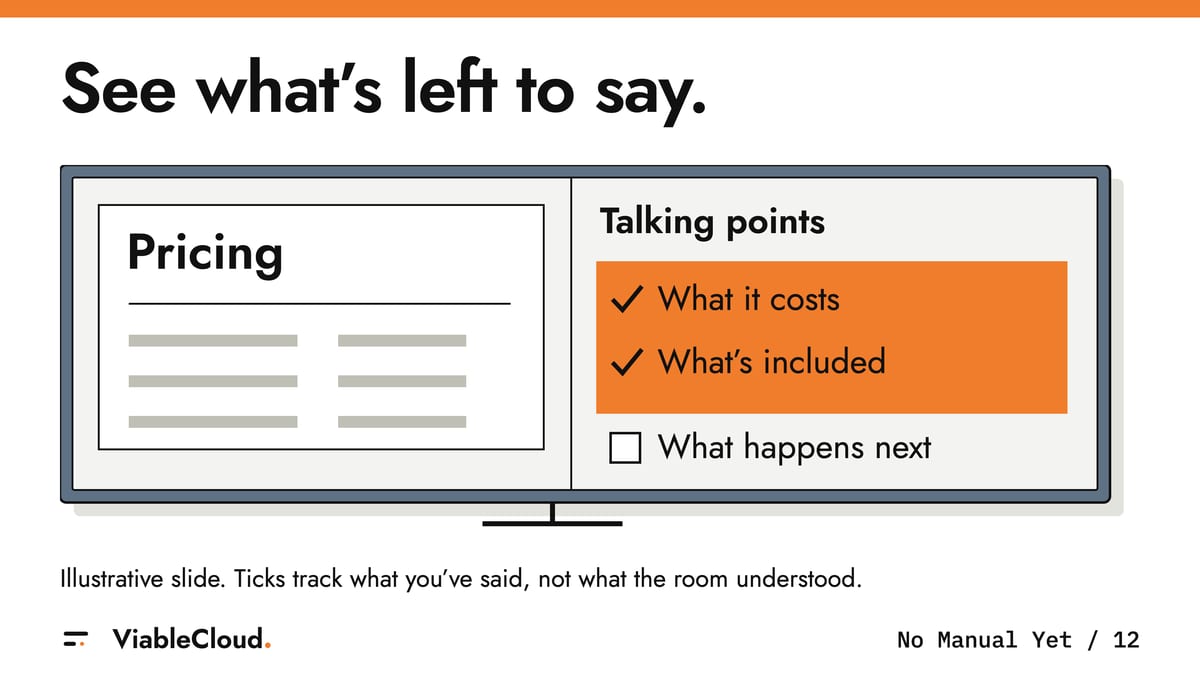
It only knows what I said. Whether the room followed is still my job.
And it's the same list when there's nobody in the room. Talk the deck through on your own, and whatever's still unticked is the bit to go back and check.
Now look at your own week
The deck is a simple example of something much bigger. I took a thing we all do every day and, instead of only making it faster or adding more AI to it, rethought it starting from the problems I actually had.
Look at what the two fixes had in common. Both times, what I needed was already there. I knew the subject. The points were on the slide. The old way had me do the hunting and the remembering.
I think a quote, a client reply or the monthly report has a bit like that: you already know the answer, and you're still clicking, searching or copying to get it where it needs to go.
This is what AI enables.
This is what we can do.
I know, I know. "Lovely, Matt. I don't have a voice-controlled deck."
You don't need one for this.
Something you can implement by Friday
Pick one job that annoys you every week and find its back button.
By back button I mean the bit you only do because the tool needs it.
Proposals, quotes, client replies, onboarding, the monthly report, support. Whichever one makes you sigh before you've even opened it.
You need two things to start. The job written as the steps you take today, 5 to 10 lines, nothing fancy. And one real past example in two halves: what you had when you started (the request, the brief, the raw numbers), and what you actually sent or did, with the private details taken out of both (yes, actually take them out).
Then it's 3 moves. I've put the slide version next to each one so you can see what I mean.
- Write the outcome in one sentence without naming the tool. On the slides: the person who asked sees the slide that answers their question. There's no clicker in that sentence.
- Mark every step: needed for the outcome, or only there to operate the tool. On the slides: remembering where the slide sits, pressing back, asking "this?". All tool.
- Find the one moment where you already know what you want and have to translate it for the tool. Redesign only that. On the slides: what I say goes to the right slide. And what's on the slide, plus what I've said, gives me what's left to cover.
You can do all of this with a pen. Or paste your steps and only the first half of your example into whatever AI you already use (the second half is for the check), underneath this:
Below is a job we do every week, written as the steps we take today, plus one past example with private details removed.
- Write the outcome we want in one sentence. Don't name any tool, app or document we use today.
- Go through my steps and mark each one: needed for that outcome, or only there to operate the tool.
- Find the one moment where the person already knows what they want but has to translate it for the tool (clicking, searching, copying, asking "is it this one?"). Redesign only that moment so what they already know goes straight to the action.
- Tell me what it needs as input, what it gives back, and how I'd test it on my example.
Don't redesign the whole job. If a step looks pointless but might be a check, ask me before you cut it.
What you should end up with is one page: the outcome sentence, your steps with a mark against each, one redesigned moment (what you already know, then what should happen) and the test.
Now the check.
Run that one moment both ways on your example. The old way first. Then the new way: give the AI only the first half and what you knew at the start, and ask it for the result. Then put its answer beside the second half, the thing you actually sent or did that time. Did you get there with only what you knew? Which steps disappeared?
Then show the steps you marked "tool only" to whoever does the job every week. Some of those steps are quietly a check, and they'll know which ones.
If it isn't clearly better on that example, don't call it better yet.
By Friday: one job, one outcome sentence, one redesigned moment, tested once.
If it worked, tell me. If it didn't, tell me too. I'd love to see the page.
No manual yet
It's the same presentation and the same pricing slide, and now I get there by asking for it out loud.
"This?" "No, two back." has been part of presenting for so long that we stopped noticing it. It's the kind of thing that rarely makes the list of problems to fix, because it just looks like how presenting works.
Plenty of jobs have one of those. So start small: what you already know, what the tool makes you do with it, and one moment rebuilt.
I'm still ridiculously excited about what we can build now.
I'd just like the back button to have a much quieter life.
You survived another week in this strange new world AND another one of my articles. Amazing!
Over to you now: what's the "no, two back" moment in your week?
Take it with you
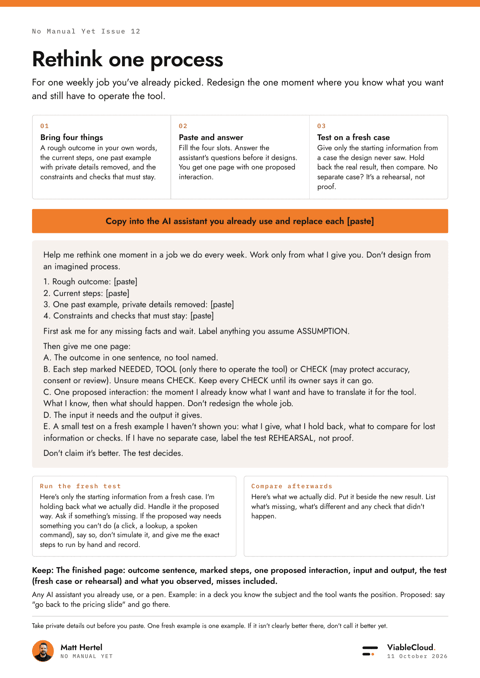
A one-page A4 worksheet and copyable prompt for a job you have already picked.
PDF · 44 KB
Rethink one process: the helper skill
An optional helper ZIP with a skill, start guide, one-page output format and a labelled slide example.
ZIP · 6 KB