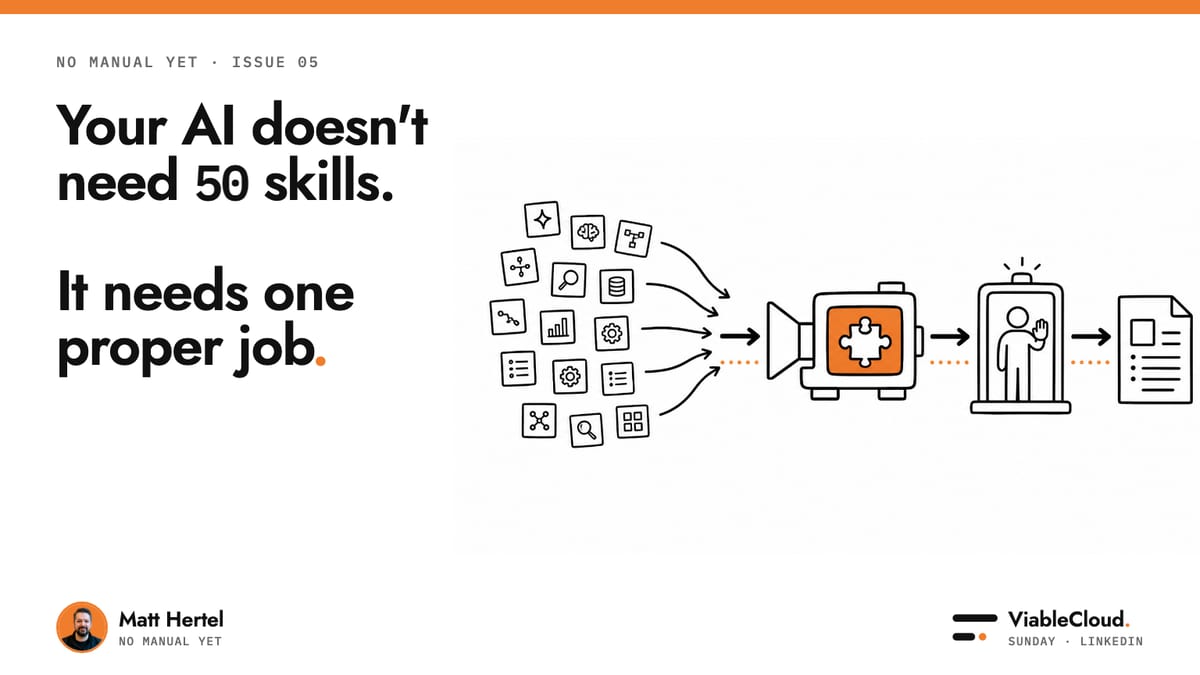
Your AI doesn't need 50 skills. It needs one proper job.
Pick a job to try this on: the Job Picker ranks your repeated jobs.
I spend far too much time on LinkedIn.
Thankfully, I have a bunch of agents doing my work for me so I look productive AND I can scroll LinkedIn!
This week it gave me 50 Claude skills, then 12 Claude skills, followed by several warnings that I am using roughly 4% of a tool I already pay for.
If I had kept scrolling, I assume somebody would have sold me a skill for managing all the skills lists. I find it amazing that people can charge for Markdown files.
There is a useful idea underneath all that noise.
AI is getting better at remembering how a job should be done.
You can give it your rules, examples, source material and tools once. It can then use the same process again without needing a heroic prompt every Tuesday morning.
That is a genuine shift.
Three things stood out
- The lists keep getting longer. Every new list makes it sound as though the missing ingredient is another file, tool or prompt.
- The jobs stay vague. "Help sales" and "write proposals faster" sound useful until somebody has to decide what the AI should actually do.
- The demos stop before the risky bit. They show the fast answer, then skip the source check, the handoff and the point where a person needs to intervene.
They look like three separate problems.
They all point to the same one.
Your AI needs a proper job.
Give it one proper job
If you already pay for ChatGPT, Claude or Copilot, you probably have enough AI to start.
A proper job sounds like this:
When a qualified enquiry arrives, read the call transcript, use our current proposal and pricing sheet, produce a first draft, and list anything the salesperson still needs to confirm.
That instruction gives the AI a real piece of work.
It also gives the business five things it can check:
- Trigger: What starts the job?
- Sources: Which documents or systems can it trust?
- Output: What must exist when it finishes?
- Check: What does a person verify?
- Stop: Which action can the AI never take alone?
The job begins when an enquiry arrives.
It ends when a usable proposal reaches the salesperson who owns it.
The chat in the middle is only part of the process.
The ending is as important as the start
At AI Office Hours, I gave Codex a complicated customer process to test.
You know the kind.
Several pages of choices, forms and optional extras, with later steps changing depending on what the customer selected earlier.
Testing it properly meant going through the whole process several times.
One run used only the required information.
Another included every optional extra.
The rest tested different combinations in between.
Doing that by hand would have taken hours.
Codex used Browser Use to click, type and move through the site like a customer.
In about ten minutes, it completed ten versions of the process and found a configuration error that blocked one route.
Best part: it gave me a summary of what happened in simple language.
YES! Simple language. That's a luxury these days.
Let me know if you want your AI to talk like a normal human being and I'll write about it.
Exactly zero active time from me.
This works because AI can now operate the same screens your team uses.
It can click, type, read what changed and keep moving when the next page is not where it expected.
Most people are confused by the names. Here is the simplest way to think about them:
- Browser Use gives Codex a separate browser inside the app. It is the cleanest place to start when the whole job happens on websites.
- Chrome Use controls the Chrome browser you already have open. It is useful when the job needs your existing login, tabs or extensions.
- Computer Use controls the wider desktop. It can move between the browser and other apps when the job crosses more than one system. It is not as scary as it sounds. I promise. I use it all the time.
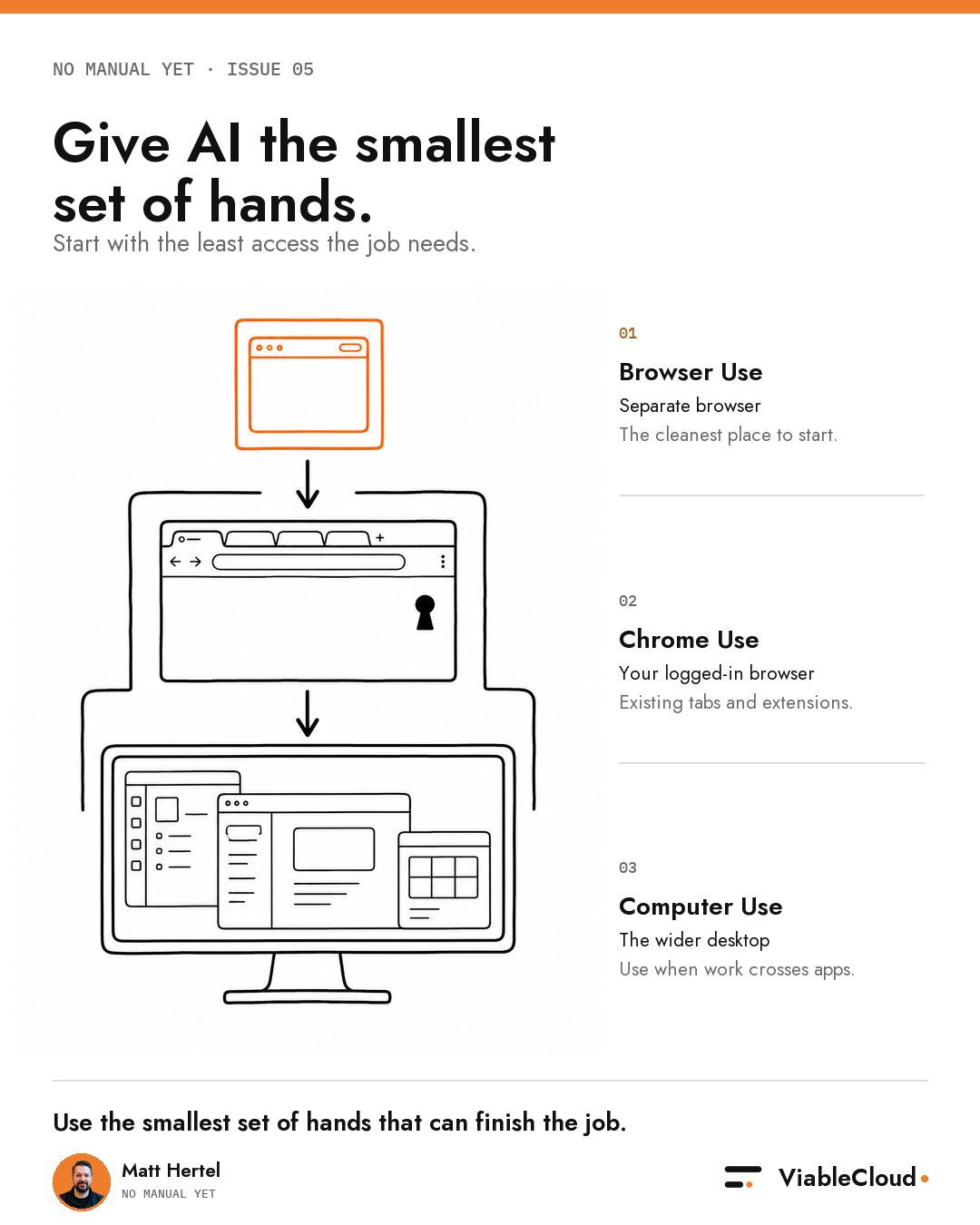
Start with the smallest set of hands the job needs.
For this job, Browser Use was enough.
The AI did the repetitive checking.
I kept the final decision.
That is a proper job.
Something you can implement by Friday
Here is the prompt I would use before buying another tool or downloading another skill.
Save it.
Paste it into ChatGPT, Claude or Codex.
Then give it the piece of work that keeps finding its way back to your desk.
I want to give AI one proper job in my company.
Interview me before suggesting a solution.
Ask me one question at a time until you can define:
- Trigger: What starts the job?
- Trusted sources: Which documents, systems or people contain the facts?
- Finished output: What must exist when the job is done?
- Human check: What does a person need to verify or decide?
- Hard stop: What must the AI never do alone?
Then give me:
- a one-sentence job description;
- the steps from trigger to finished output;
- the exact point where AI stops and a person takes over;
- the material I need to give the AI;
- a 30-minute first test using tools I already have;
- a simple pass or fail question: did the job move further without me?
If any answer is vague, challenge it.
Do not recommend new software, agents or skills until the job is clear.
Start by asking: What piece of work landed back on my desk twice this week?
The important line is Interview me before suggesting a solution.
It stops the AI racing towards an answer before it understands the work.
By the end, you should have a one-page job brief you can hand to your team and test this week.
If you cannot answer one of the five questions, that is useful too.
You found the missing part of the process before you automated it.
No manual yet
More capable agents are useful.
I am still excited about giving them more work.
That is exactly why each job needs to finish somewhere visible.
This week made the sequence feel simple:
- Name one job.
- Give it trusted sources.
- Define the output.
- Keep the consequential decision with a person.
- Tell the agent where to stop.
I would like every AI skill list to arrive with a job description.
Until then, LinkedIn will give you another 50 skills next week.
Your proposal still needs to go out on Friday.
You survived another week in this strange new world AND another one of my articles. Amazing!
Over to you now: what job keeps landing back on your desk? Are you using AI to automate it?
Take it with you
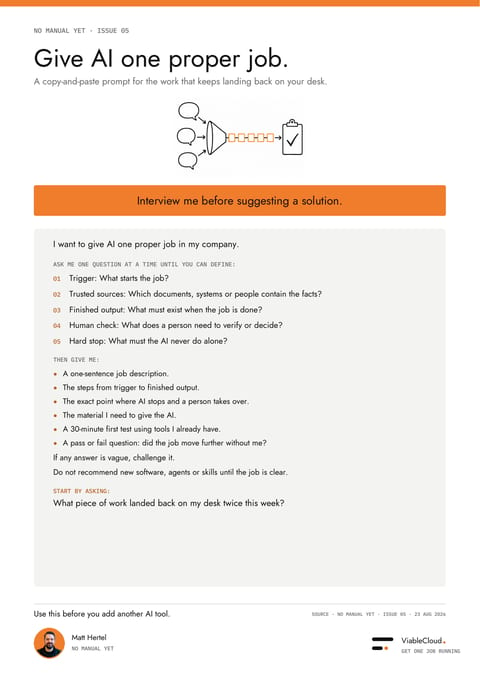
A copy-and-paste prompt for the work that keeps landing back on your desk.
PDF · 427 KB